Private MCP Registry
Managing your organization's MCP servers in a private registry

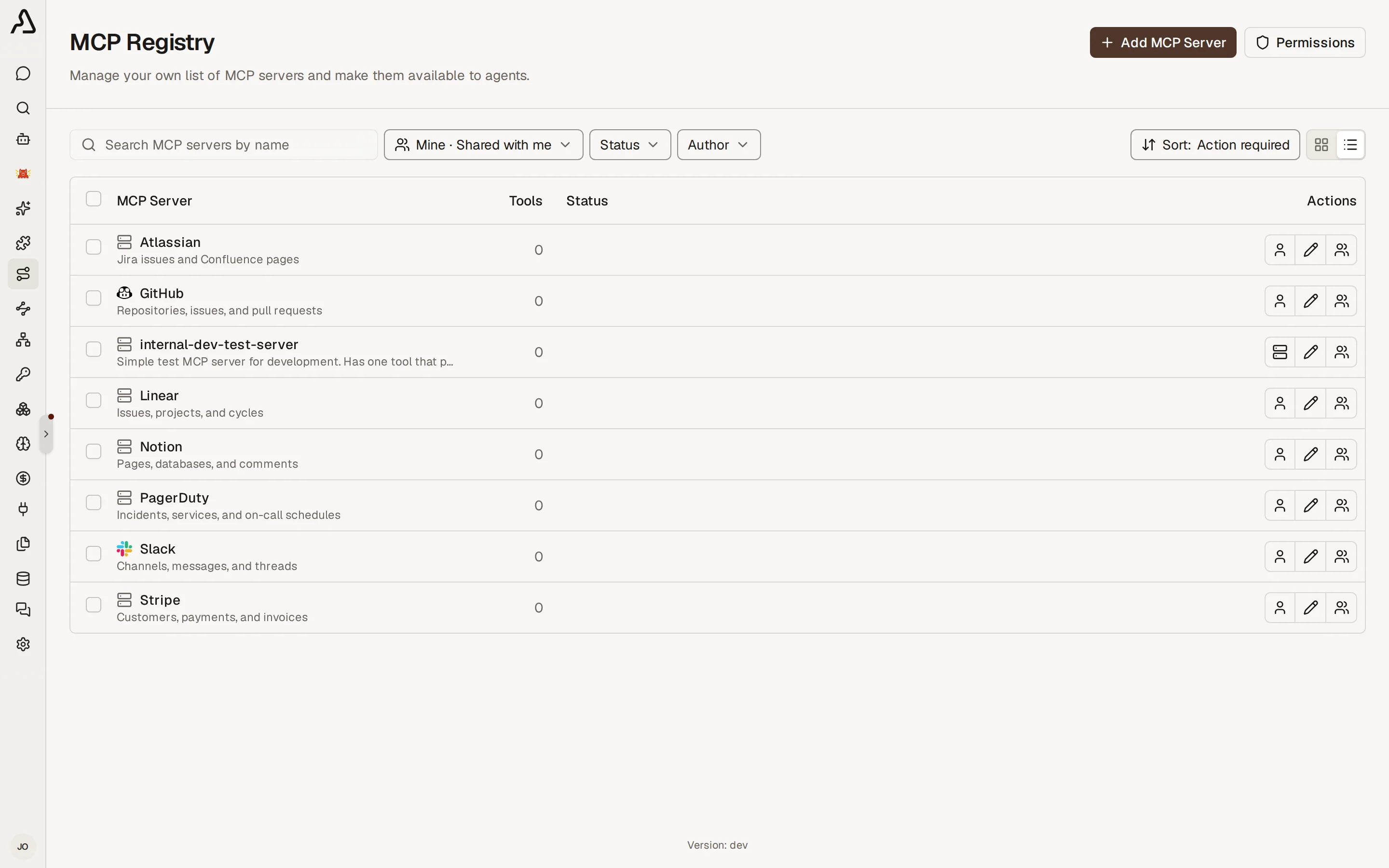
The Private MCP Registry is the catalog of MCP servers approved for your organization. It defines what servers exist, how they should be configured, who can see them, and what credentials are required when someone installs them.
A registry entry is a reusable template. An installation is the actual connection created from that template for a person or team. Agents and MCP Gateways use installed connections when they call tools.
Registry Entries And Installations
An MCP server usually moves through this lifecycle:
- An admin adds a registry entry.
- A user or team installs the entry and provides any required credentials.
- Archestra discovers the server's tools and stores the installation.
- An Agent or MCP Gateway is assigned tools from that installation.
- When a tool runs, Archestra resolves the correct installation and upstream credential.
This separation lets admins curate a small approved catalog while still allowing each user or team to connect with their own credentials.
Server Configuration
Registry entries can describe either a remote server or a self-hosted server.
Remote servers run outside Archestra and are reached over HTTP. Use this for provider-hosted MCP servers or internal services already operated by another team. The registry entry stores the server URL, optional docs URL, authentication configuration, and any install-time fields users must provide.
Self-hosted servers run in Kubernetes through the MCP Orchestrator. Use this when Archestra should own the runtime. The registry entry can define the command, arguments, Docker image, transport type, environment variables, image pull secrets, and optional deployment YAML overrides.
Self-hosted servers support two transports:
- stdio: the default transport. Archestra runs the server process and communicates with it over standard input/output.
- streamable-http: runs the server as an HTTP service inside the cluster. Use this when the server needs concurrent requests, HTTP headers, or per-request credential injection.
Credentials
The registry entry defines what credential model an installation uses. The installation stores the actual secret, OAuth token, or enterprise credential configuration.
Common patterns are:
- No auth for internal tools that do not call external APIs.
- Static credentials such as API keys, PATs, or service account tokens.
- OAuth 2.1 for per-user SaaS access with browser authorization and automatic refresh.
- OAuth client credentials for shared machine-to-machine access.
- Enterprise IdP token exchange when Archestra should exchange the caller's enterprise identity for a downstream credential.
- Enterprise JWT / JWKS passthrough when the upstream MCP server validates the caller's IdP JWT itself.
Static credential fields can be prompted during installation or stored once on the catalog item. The primary credential can be injected as Authorization, Authorization: Bearer, or a custom header such as x-api-key, depending on what the upstream MCP server expects.
Registry entries can also define Additional Headers for non-auth values that should be sent on every downstream request, such as tenant IDs, API version headers, or feature flags. These headers are attached by Archestra when it calls the upstream MCP server. They are different from gateway header passthrough, which forwards selected headers from the incoming MCP client request.
See MCP Authentication for the full gateway and upstream credential model.
Installation Scope
Installations can be personal or team-scoped.
- Personal installations are owned by one user and are useful when each person needs their own upstream account.
- Team installations are shared with a team and are useful for shared service accounts or team-owned integrations.
When assigning tools to an Agent or MCP Gateway, you can pin a specific installation or use Resolve at call time. Resolve-at-call-time resolves deterministically from the caller identity and the available personal or team-scoped credentials. If no credential can be resolved, Archestra returns an error with an install link.
See Credential Resolution for the resolution order and missing credential behavior.
Labels
Registry entries can carry labels — key-value pairs set under Labels in the registry form. Labels organize the catalog and make registry entries easier to filter and manage.
Environments
An environment is an organization-level deployment target — for example sandbox, staging, or production. Any member can view the list of environments; creating, editing, and deleting them requires the environment:admin permission. Admins manage environments in Settings > Environments. Each environment carries a name, an optional Kubernetes namespace, and an optional network egress policy.
An environment can be marked restricted. Only members with the environment:deploy-to-restricted permission (or environment:admin, which implies it) can assign catalog entries to a restricted environment. Unrestricted environments and Default stay open to anyone who can create MCP registry catalog entries.
Network Egress Policies
Network egress policies are configured directly on environments. They can disable internet egress, allow all egress, or restrict egress to selected IP/CIDR ranges. Domain presets and custom domains require a supported FQDN policy provider; Kubernetes NetworkPolicy alone only enforces IP/CIDR rules.
When an MCP server runs in an environment, Archestra uses the environment's network policy, then the organization default network policy, then the built-in unrestricted policy.
| Cluster provider | IP/CIDR rules | Domain rules |
|---|---|---|
| EKS Auto Mode | Kubernetes NetworkPolicy when network policy enforcement is enabled | AWS ApplicationNetworkPolicy when the EKS Auto Mode Network Policy Controller is enabled |
| EKS with AWS VPC CNI | Kubernetes NetworkPolicy when network policy enforcement is enabled | Not supported outside EKS Auto Mode DNS-based policies |
| AKS | Kubernetes NetworkPolicy when network policy enforcement is enabled | Cilium CiliumNetworkPolicy when the cluster exposes the Cilium CRD |
| GKE | Kubernetes NetworkPolicy when network policy enforcement is enabled | GKE FQDNNetworkPolicy when GKE Dataplane V2 and FQDN network policy are enabled |
| Cilium-enabled clusters | Kubernetes NetworkPolicy or Cilium policy | Cilium CiliumNetworkPolicy |
See Kubernetes NetworkPolicy, Cilium DNS policy, GKE FQDN network policy, and EKS Auto Mode network policy docs for provider details. AWS DNS-based rules apply only to workloads running on EKS Auto Mode-launched EC2 instances.
Domain Presets
Common Dependencies
alpinelinux.org
archlinux.org
bitbucket.org
centos.org
crates.io
debian.org
docker.com
docker.io
*.docker.io
fedoraproject.org
files.pythonhosted.org
gcr.io
ghcr.io
github.com
*.github.com
githubusercontent.com
*.githubusercontent.com
gitlab.com
golang.org
goproxy.io
gradle.org
hex.pm
maven.org
mcr.microsoft.com
nodejs.org
npmjs.com
npmjs.org
nuget.org
packagecloud.io
packages.microsoft.com
packagist.org
pkg.go.dev
production.cloudflare.docker.com
pub.dev
pypa.io
pypi.org
pypi.python.org
raw.githubusercontent.com
objects.githubusercontent.com
quay.io
registry-1.docker.io
registry.npmjs.org
ruby-lang.org
rubygems.org
rustup.rs
ubuntu.com
yarnpkg.com
Package Managers
crates.io
files.pythonhosted.org
gcr.io
ghcr.io
golang.org
goproxy.io
gradle.org
hex.pm
maven.org
mcr.microsoft.com
npmjs.com
npmjs.org
nuget.org
packagist.org
pkg.go.dev
registry-1.docker.io
registry.npmjs.org
rubygems.org
rustup.rs
pub.dev
pypi.org
pypi.python.org
pythonhosted.org
quay.io
docker.io
*.docker.io
production.cloudflare.docker.com
yarnpkg.com
From Registry To Gateway
The registry does not expose tools to clients by itself. After a server is installed, Archestra discovers the tools exposed by that installed connection. Those tools become usable after they are assigned to an Agent or MCP Gateway.
For external MCP clients, create or edit an MCP Gateway, assign tools from installed registry entries (or use Automatic tool assignment mode to derive them from labels), then connect the client to the gateway endpoint. For built-in Archestra agents, assign the same tools from the agent's tool configuration.